 mk
mk-661 and mk-0: a Roblox client and script executor for Linux
Version 1.4.3 · released on November 22, 2026
mk is a pair of apps for playing Roblox on Linux. mk-661 is a free Roblox client for Linux: it runs the Android (x86_64) build of Roblox in a normal desktop window, with no Wine and no emulator, and adds private servers, FastFlags, a screen recorder and multiple accounts. mk-0 is a Luau script editor and executor that runs scripts in the game open in mk-661. Both install with one command and run on 64-bit (x86_64) Linux only.
mk-661 is free. mk-0 runs on time tied to your Discord account: you can get 24 free hours through LootLabs or Work.ink on the access page or buy a 3 to 120 day plan via Pix on Discord. There is no key to keep copying.
Version 1.4.3 brings the Controls section with an Xbox 360 controller from your keyboard and mouse, shortcuts on extra mouse buttons, three new free themes, a per-account shortcut that opens Roblox directly, and Luarmor scripts working again. If you already have mk, click Update now or run mk update.
What is mk-661, the Roblox client for Linux
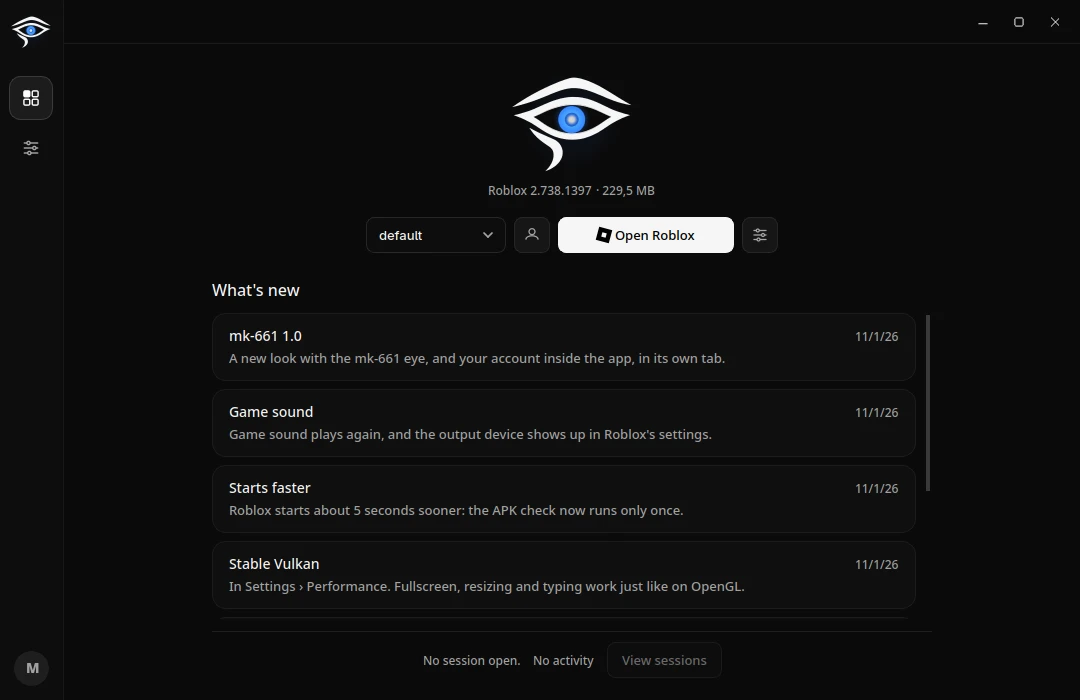
It is the mk Roblox client. It only downloads Roblox versions we have already tested, checks the file before installing and opens the game like any other Linux program.
Sound, fullscreen, keyboard and mouse work normally. You can make a profile for each Roblox account and switch between them. The game runs on OpenGL; if you prefer, switch to Vulkan in the settings.
It also joins private servers from their invite link, accepts FastFlags pasted from the internet and records the screen with F10. See the private servers guide and the FastFlags guide.
What is mk-0, the Luau script executor
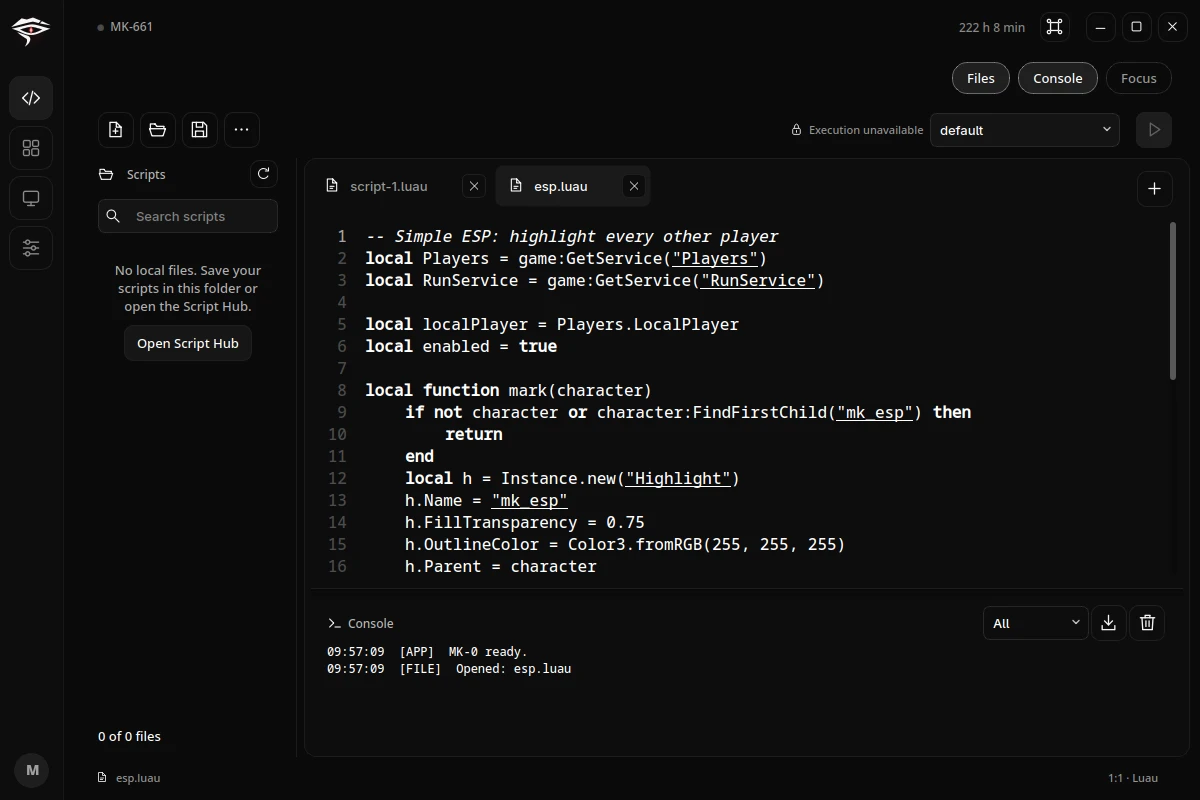
It is the executor. You write or paste the script, click Run and it runs in the game open in mk-661, on the same computer. It has tabs, drafts save on their own and you can search ScriptBlox without leaving the app.
The Shortcuts tab runs a script when you press a key, with the game on screen, without going back to the editor. The Script Hub shows scripts for the open game. See the mk-0 guide.
mk-661 and mk-0 features
No Wine
Roblox runs as a Linux app. No Wine, no virtual machine and no Android emulator.
Private servers
Join private servers from their invite link. Join links in the browser open in mk-661.
FastFlags
Paste a FastFlags pack from the internet as it is: up to 20,000 flags.
Screen recorder
F10 records the game with its sound, without dragging FPS down.
Several accounts
One profile per Roblox account, each with its own sign-in, and several games open at once.
In-game shortcuts
Ctrl+Shift+F5 runs the open mk-0 tab. You can put one of your scripts on each key.
Signed package
The installer checks the package signature and hash before installing anything.
Free to play
mk-661 has no paid plan and no ads. mk-0 has 24 free hours.
How to install mk on Linux
Download mk only from the official website. The installer checks the package signature and SHA-256 before installing.
Open a terminal and paste the command below. The installer asks whether you want mk-661, mk-0 or both, shows what your system is missing and only then starts.
$ curl -fsSL https://mkcheats.com/install.sh | bashWarning: using scripts is against the Roblox Terms of Use and your account can be banned. Use an alt account to test scripts.
How to use mk-661 and mk-0
From zero to your first script:
- Install: paste the installer command in a terminal and pick the apps.
- Open mk-661: sign in with Discord, download Roblox from the app itself and sign in to your Roblox account.
- Join a game: open any experience, like you normally would.
- Open mk-0: sign in with the same Discord account. If you have no time, get 24 free hours on the access page.
- Run the script: paste the script and click Run, or press Ctrl+Shift+F5.
If something goes wrong, see troubleshooting or run mk doctor in a terminal and send the output on Discord.
System requirements
| Item | Minimum |
|---|---|
| System | 64-bit Linux (x86_64) |
| C library | glibc 2.35 or newer (mk-661 needs 2.36) |
| Distros | Ubuntu 24.04, Debian 12, Fedora 37 or newer; up-to-date Arch, Manjaro and openSUSE Tumbleweed |
| Graphics | A working OpenGL driver (Vulkan is optional) |
| Audio | PipeWire or PulseAudio (without them the game has no sound) |
| Download | 49 MiB package; the Roblox build the app downloads is about 230 MB |
Per-distro details are in the install guide.
What changed in 1.4.3
- Xbox 360 controller in MK-661: each button on the key or mouse button you pick, the mouse on the right stick, and F8 turns it on and off in game.
- Shortcuts on side mouse buttons in MK-0 and MK-661, and the in-game keys (MK menu, photo, recording, fullscreen) are now configurable.
- Three free themes: Frutiger Aero, Ocean and Blue Hacker, with bubbles, light rays and code rain.
- Create shortcut on each account: an icon that opens Roblox straight in that account, without going through MK-661.
- Identity protection in MK-0: hides names, avatars and IDs and blocks webhooks and IP lookup sites (idea by Dylanfoc).
- Luarmor scripts run again, controller buttons no longer get stuck, and the interface is easier to find your way around.
Documentation
Short guides to install, update and fix problems:
- How to install mk on Linux
One command, requirements, distros and installer options.
- Updating and mk commands
mk update, mk doctor, mk logs, mk links, mk repair and mk cli.
- mk troubleshooting
Command not found, fonts, graphics, sound and joins that hang.
- Private servers and browser links
Invite links, the browser Play button and mk links.
- FastFlags in mk-661
Where to paste, accepted formats, limits and when they apply.
- Getting started with mk-0
Editor, shortcuts, autorun, Script Hub and AI access.
- mk-0 plans and time
24 free hours, 3 to 120 day plans, themes and mk cli.
Frequently asked questions
Is mk safe?
The installer is a text file you can open and read before running it. The package is signed, and the installer checks the signature before installing. Everything stays in your home folder, and mk uninstall removes it all.
Can I get banned?
Yes. mk is not an official Roblox app and using scripts is against the Terms of Use. Use an alt account for scripts.
Do I need a key?
No. mk-0 time lives on your Discord account: 24 free hours through LootLabs or Work.ink (with ads) or a 3 to 120 day plan via Pix, which you buy on Discord.
Does it work on Windows or Mac?
No. mk is for 64-bit (x86_64) Linux only.
Why Android and not Wine?
Windows Roblox stopped working under Wine in 2023. The Android version has a PC build (x86_64), and mk-661 runs that build directly on Linux.
Which Linux distributions work?
Ubuntu 24.04, Debian 12, Fedora 37 or newer; up-to-date Arch, Manjaro and openSUSE Tumbleweed. mk-661 needs glibc 2.36 or newer; mk-0 alone works from glibc 2.35. Alpine and other musl distros are not supported.
The app keeps asking me to sign in with Discord
Update with mk update. Version 1.1 saves the sign-in differently and fixes this.
How do I uninstall?
Run mk uninstall. It removes the apps, the menu shortcuts and the mk command.
Still have a question? Ask on Discord.